Sample Documentation Review Process
The documentation review process is performed by a group of experts who ensures that the article meets a certain set of standards. By ensuring accuracy, completeness, and consistency, this process confirms our writing, articles and other forms of content effectively communicate the necessary information to their intended audience while maintaining a high quality bar.
Overview
In general, every piece of content should go through three stages of review prior to publication:
- Self review
- Content / technical review
- Editorial review
Self Review
After writing any documentation, review your own work before submitting to others for review. Be sure to look for sentence clarity, typos, document structure/layout, grammatical errors, and style. Ensure that your work meets the requirements of the request, and read your work through the eyes of the end user.
Content / Technical Review
The content / technical review is performed by one or more subject matter experts (SMEs). This person should understand the nuances of the topic you’re writing about. For example, if you write an article on how to milk cows, reach out to the farmer to ensure that your instructions are accurate and you haven’t left out any pertinent information.
The SME will look at your work through the eyes of an expert and should look for the following types of edits:
- Is the documentation accurate?
- Did the writer leave any important information out?
- Did the writer add in anything that can be left out for the audience?
- Is the information organized in a coherent and consistent way?
Most of the time, the SME will be the person requesting the documentation.
Editorial Review
The editorial review is performed by another peer on the technical writing staff. This person will look at your document for structural, grammatical and stylistic changes, and ensure that the writing is consistent and follows the style guide. Consider the following types of edits:
- Are there any typos or grammatical errors?
- Is the information organized in a way that is easy to follow?
- Is the writing style consistent throughout and aligns with the style guide?
- When read out loud, do any sentences seem weird and need to be reworded?
- Are the correct formats used, such as font size, bold, italics, etc? Is the markdown / HTML correct?
- Is the document overly technical? Can the content be understood by a non-expert?
GitHub-hosted documentation
We will use GitHub flow to review documentation stored on GitHub.
- Create a new branch based off of the main branch. This should be titled based off of the Jira issue key (i.e. DOC-137)
- On your branch, make any changes. This is a safe place to make changes, since you have the power to revert changes and/or commit over files as many times as needed.
- Commit and push your changes to your branch. Be sure to include a descriptive title such as “fixed typo” or “added documentation for Android permissions”. Repeat as needed until you are ready to send your work for review.
- Create a PR. Set the title to the Jira title (i.e. DOC-137 New user onboarding documentation).
- Set the reviewers. For best practices, you should have at least 2 reviewers: an SME and a member of the technical writing team. NOTE: You will not be able to merge the PR without at least one review.
- Upon opening a PR, your changes will run through the Continuous Integration process to make sure that the website builds correctly. Check for any errors and fix them if needed.
- Once the reviews are submitted, address the review comments in additional commits to the PR. Your PR will update automatically and re-run the CI process.
- After you’ve received at least one approval, you can then merge your PR into main.
Once merged into main , the change will get automatically deployed and will be accessible via the staged documentation site. Your working branch will be deleted automatically.
Best Practices for GitHub Reviews
When reviewing in GitHub:
- Use the "suggestions" feature when you are suggesting a rewrite. This handy feature will make it clear exactly what changes you suggest.
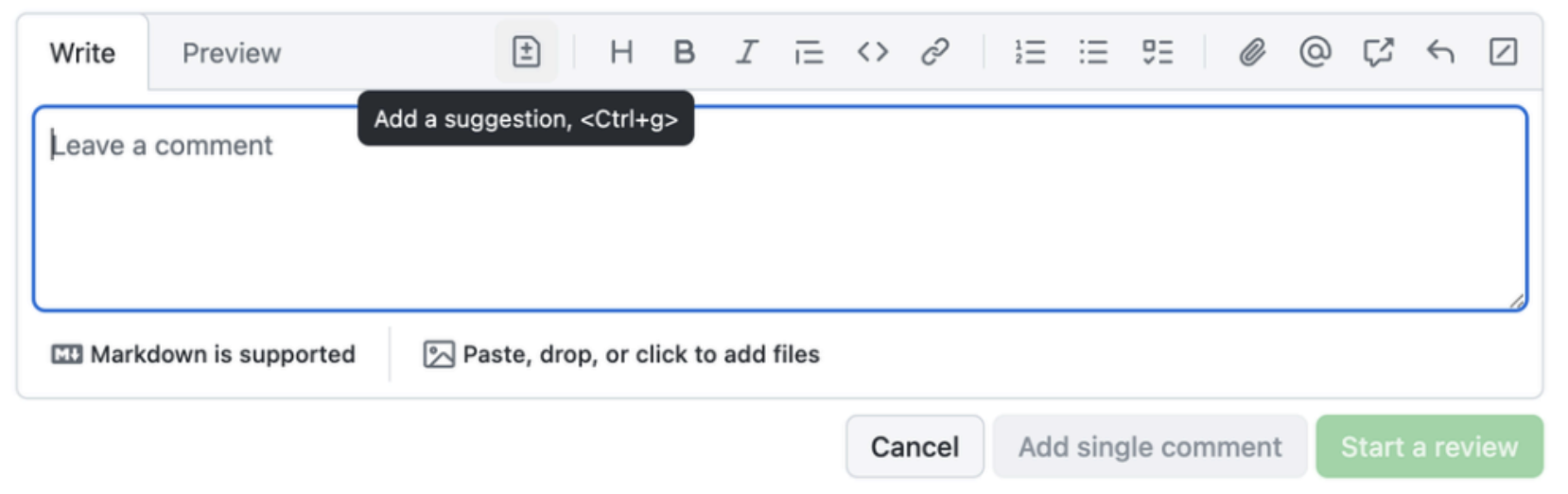
- Review the entire document if possible - oftentimes, we change a portion of an article, but other content is wrong and we can fix it now.
- Approve a PR only in the following situations:
- No changes need to be made
- Only minor grammatical errors should be made.
- All other edits should be looked over a second time if possible
Documentation not stored in GitHub
Occasionally, we are asked to write documentation that will not be published on the Anchor, such as MVP documentation. This content should be copied into a Google doc and shared with stakeholders for review.
When reviewing content in Google Docs, follow these best practices:
- Title the Google doc based on the Jira ticket (i.e. DOC-192 HR Onboarding)
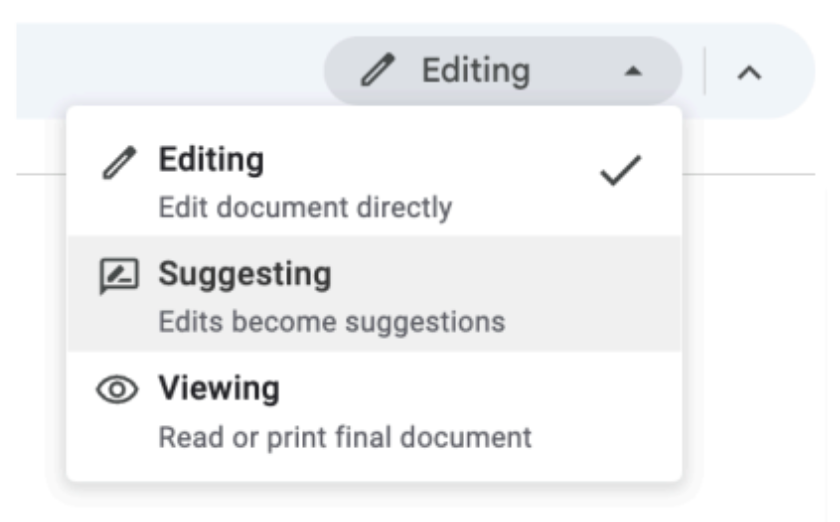
- When reviewing, use the Suggesting mode. This mode details every change and comment you make to the doc.
Back to Portfolio